.png)
.png)








Proper portfolio valuation is becoming exponentially important as the reinsurance market tightens. So, how can insurance companies better manage their books of business now and into an uncertain future?

Component Guide
Table of Contents
Note: The Table of contents only works on the published site, not in the designer.
Intro to Components
Components allow you to maintain a consistent, efficient, and scalable website by creating customizable blocks from elements and child elements. Reuse those blocks across your site, and modify them in a single place to avoid individually revising each recurring layout. Throughout this build components are used for Navbars, Footers, and specific sections or layouts like a CTA section. This page should get you up to speed on how to edit components and also includes a list of the components used in this site below. For a full guide on using components check out the Webflow University page.
How to Edit a Component
To make the same changes across all instances of a component, you’ll need to edit the main component. You can edit the main component on any component instance by:
- Double-clicking the component instance
- Right-clicking the instance and choosing Edit component
- Selecting the instance and clicking the “pencil” icon in the label
- Selecting the instance and clicking the Edit component button in the Style, Element settings, or Interactions panels
- Selecting the instance and using the keyboard shortcut Enter
When you do this all other elements on the page will get a dark overlay to show that you are updating the main component and that any changes to it will affect all other instances of that component.
Understanding component properties
Component properties let you define specific elements within a component that can be modified with unique values on a component instance. For example you could make a CTA section that has an editable title and button. In more advanced use cases component properties can also show and hide specific elements, or even change visual styles (like button style, spacing amounts, or section color).
To edit a content property (eg a heading or image) you should:
- Locate the component instance that contains the element whose values you want to modify
- Select the element on the canvas
- Go to Element settings panel > Component properties
- Modify the element’s property values (e.g., update the text, replace an image, set the visibility, etc.)
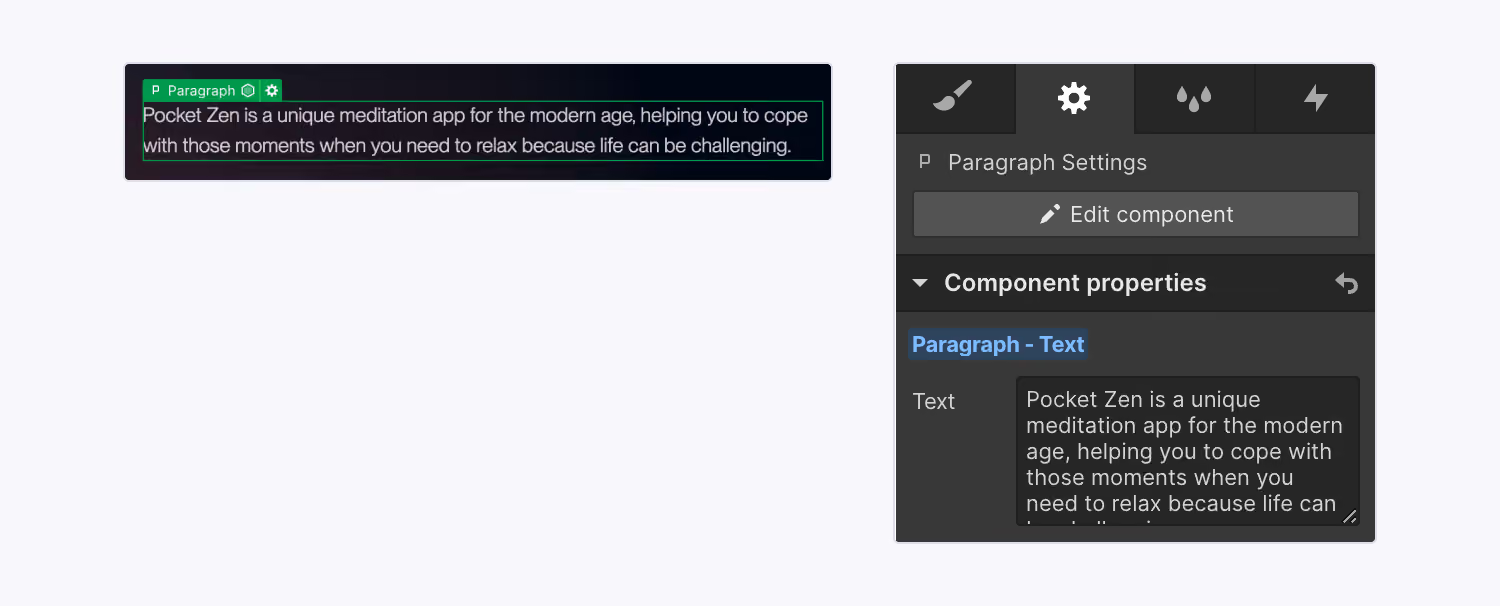
Note: Some components (like a Navbar) might not have any properties set up because instead of having the component include different content on each page it needs to be consistent across the site without any parts of it changing.
Components with style properties
Some components on this site use text properties to reference classes or custom code giving you more flexibility when using the component. A common use may be to have a text field allowing you to update the heading class. In these cases follow whatever the naming convention of the default property value is when applying styles to the component. For example if the default value is heading-style-h1, try updating it to heading-style-h3 and see how the component responds. If the default value is 'false' the other option is probably 'true'. If the default value is 'main', try setting it to large or small. If you make a change to a property and see no visual change on the component just reset the value to the default property value.
Component Slots
Some components allow you to put other components inside of them for even more flexibility (like putting a bunch of cards into a section). to do this you can simply drag a component from the sidebase into the canvas and re-arrange them how you want, or even copy and paste another component to create more of them.
It's important to note that while Webflow will allow you to put any component inside a component slot, not all slots are meant for all components, (eg, sections should not be put inside other sections) to solve this components are divided in the sidebar based on their role. As a general rule, only Cards/Slot elements should go inside of a slot within a section. More on component naming is explained below.
Component Naming Conventions
One other thing you'll notice is that components have different types of names related to how they are used. Often this will include several words or phrases separated by a slash. This is to help you quickly search through and add components. The most common keywords are explained below:
- Global - These are components that are used structurally throughout the whole site. They may be used in other components or in component slots throughout the site.
- Section - These are pre-built sections that you can drop onto a page and have specific style controls for, when creating new pages they will help you quickly fill out the pages with prebuilt responsive designs
- Card - These are elements that are used inside of a component slot, giving you more flexibility on the amount of content inside each component
- Slide - This is a card-like element specifically for a slider section. This has specific CSS classes to make sure the slider functionality works correctly. Make sure to only put slide components inside a slider section of the same type.
- Icon - These are icon elements
Lumos Chrome Extension
If you are using components a lot I would highly recommend installing the lumos chrome extension - It will pull out values from the custom code to make it easier to see what your options are when modifying a components styles. Chrome extension is linked here.
Components in this site
The components used in this site are displayed below, feel free to copy and paste them onto new pages or modify them to familiarize yourself with each of their options. Note: The navbar is not included on this page but you can find it on almost any other page throughout the site.

OneShield Enterprise
Think Future-First Technology
The first step on the road to technological transformation is developing a thorough understanding of your desired destination – the modern core platform and how it differs from a legacy system.
INTELLIGENT INSURANCE OPERATIONS
OneShield
Enterprise
Policy, billing, claims, and reinsurance unified, with AI built in and backed by a white-glove partnership.

60+ lines of business
Personal, commercial, specialty
One data model
Policy, billing, claims, reinsurance
Run it your way
Fully self-sufficient or fully managed
Tools To Design Your Vision
Manage the complete policy lifecycle for every line of commercial, personal and specialty insurance with the industry’s most advanced and configurable end-to-end policy management solution.

OneShield Designer
Empower your business and technical users to configure virtually every aspect of the system, including workflow, product definition, object model, and web services.
Services Designer
Leverage our extensive catalog of coarse- and fine-grained services, supporting SOAP/REST, XML/JSON natively via configuration, with built-in security and pen testing.
Package Designer
Customize and package multiple product coverages, including those traditionally defined as commercial and personal lines, together into a single bundle with ease and simplicity.
Package Designer
Customize and package multiple product coverages, including those traditionally defined as commercial and personal lines, together into a single bundle with ease and simplicity.
Relationship Management
Allows management of all aspects of customer and partner information and offers the opportunity to provide trusted partners access to information.
OneShield Reporting
Easily configure reports and views of client information, system transactions, financial, operational, statistical, and marketing.
Explore Our Community
Our values are reflected in the way we work, the people we support and the partnerships we form.

Our Leadership
Extraordinary talent from across the insurance and insurtech sectors form OneShield’s growing leadership team.
Meet Our Leadership Team
Our Clients
We serve traditional, multi-line carriers, specialty and excess/surplus insurers, established and startup MGAs, and insurers in their infancy.
Meet Our Clients
Our Partners
Best-in-class services and support enhance your capabilities today and continue to expand to meet tomorrow’s strategic initiatives.
Meet Our Partners


.svg)
Two platforms, designed and developed by listening carefully to your needs.
OneShield
Enterprise
Move at the speed of change
Designed for growth-oriented P&C insurers and MGAs, our cloud solution spans policy, rating, billing, claims, relationship management, reporting, and analytics.
OneShield
Market Solutions
Beyond market-ready
A fully managed SaaS policy administration and feature-rich claims solution pre-loaded with insurance content, workflows, and rules, all customizable to your needs.
OneShield
AI Hub
Built for insurance
AI operating system purpose-built for insurance – no core system replacement required. Design and deploy your own or select from our library of insurance-specific AI agents.
Unified Experience
Pre-built insurance use cases clearly define pre-existing, end-to-end functionality available.
Role-based and permission-based design tool to facilitate collaboration and foster self-sufficiency amongst your internal teams.
Highly configurable - extend or personalize the application with our proprietary design tool, OneShield Designer.
Customer-centric views and enhanced carrier workbench offer unparalleled visibility and insights across the policyholder lifecycle.
“Before making this decision, we extensively researched the latest technologies available within our industry. It validates that OneShield Policy remains the best platform for our technology transformation and plans for future growth."

Client Spotlight
.avif)
Commercial Property Preparedness:
Bracing for Changing Risks
.avif)
No items found.
No items found.
Related resources
OneShield solves the complex technology needs of Startups. Check out how:
25
Years in business
60+
Lines of business supported
40+
Global Clients
.avif)
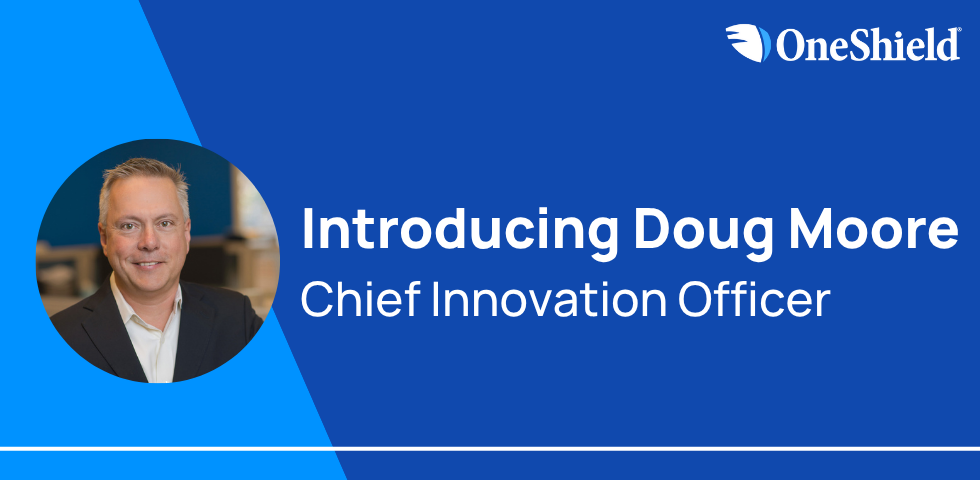
“What makes the AI Hub special is its intentional design for interoperability and scale. We’re not just automating, we’re building a collaborative, intelligent ecosystem.”
- Doug Moore, Chief Innovation Officer, OneShield
Frequently Asked Questions
Didn't find the answer you were looking for? Feel free to contact us anytime.
How do I know which OneShield solution is a fit for me?
.svg)

OneShield offers two distinct core platforms. OneShield Enterprise (OSE) is a configurable core platform built for complex P&C operations across personal, commercial, and specialty lines. OneShield Market Solutions (OMS) is a carrier- grade core system delivered as a managed service for commercial and specialty carriers and MGAs, with pre-loaded content, subscription pricing, and continuous enhancements. During initial consultation, OneShield works with your team to evaluate your operational needs, lines of business, and growth plans to recommend the right platform.
How do I know which OneShield solution is a fit for me?
OneShield offers two distinct core platforms. OneShield Enterprise (OSE) is a configurable core platform built for complex P&C operations across personal, commercial, and specialty lines. OneShield Market Solutions (OMS) is a carrier- grade core system delivered as a managed service for commercial and specialty carriers and MGAs, with pre-loaded content, subscription pricing, and continuous enhancements. During initial consultation, OneShield works with your team to evaluate your operational needs, lines of business, and growth plans to recommend the right platform.
How do I know which OneShield solution is a fit for me?
OneShield offers two distinct core platforms. OneShield Enterprise (OSE) is a configurable core platform built for complex P&C operations across personal, commercial, and specialty lines. OneShield Market Solutions (OMS) is a carrier- grade core system delivered as a managed service for commercial and specialty carriers and MGAs, with pre-loaded content, subscription pricing, and continuous enhancements. During initial consultation, OneShield works with your team to evaluate your operational needs, lines of business, and growth plans to recommend the right platform.
How do I know which OneShield solution is a fit for me?
OneShield offers two distinct core platforms. OneShield Enterprise (OSE) is a configurable core platform built for complex P&C operations across personal, commercial, and specialty lines. OneShield Market Solutions (OMS) is a carrier- grade core system delivered as a managed service for commercial and specialty carriers and MGAs, with pre-loaded content, subscription pricing, and continuous enhancements. During initial consultation, OneShield works with your team to evaluate your operational needs, lines of business, and growth plans to recommend the right platform.
How do I know which OneShield solution is a fit for me?
OneShield offers two distinct core platforms. OneShield Enterprise (OSE) is a configurable core platform built for complex P&C operations across personal, commercial, and specialty lines. OneShield Market Solutions (OMS) is a carrier- grade core system delivered as a managed service for commercial and specialty carriers and MGAs, with pre-loaded content, subscription pricing, and continuous enhancements. During initial consultation, OneShield works with your team to evaluate your operational needs, lines of business, and growth plans to recommend the right platform.
How do I know which OneShield solution is a fit for me?
OneShield offers two distinct core platforms. OneShield Enterprise (OSE) is a configurable core platform built for complex P&C operations across personal, commercial, and specialty lines. OneShield Market Solutions (OMS) is a carrier- grade core system delivered as a managed service for commercial and specialty carriers and MGAs, with pre-loaded content, subscription pricing, and continuous enhancements. During initial consultation, OneShield works with your team to evaluate your operational needs, lines of business, and growth plans to recommend the right platform.
How do I know which OneShield solution is a fit for me?
OneShield offers two distinct core platforms. OneShield Enterprise (OSE) is a configurable core platform built for complex P&C operations across personal, commercial, and specialty lines. OneShield Market Solutions (OMS) is a carrier- grade core system delivered as a managed service for commercial and specialty carriers and MGAs, with pre-loaded content, subscription pricing, and continuous enhancements. During initial consultation, OneShield works with your team to evaluate your operational needs, lines of business, and growth plans to recommend the right platform.

Whether you are a P&C Insurer, MGA, Specialty Lines Insurer or Insurance Startup, our solutions are crafted to meet your unique needs.



%20(1).avif)
.avif)

Partnering With OneShield

Two Carrier-Grade Platforms, Not One-Size-Fits-All
Unlike vendors who force every insurer onto a single platform, OneShield provides two distinct core systems, each designed for different operational models. You deserve a platform that matches your specific workflows, insurance products, and organization.

Secure, governed AI without replacing your core system
OneShield AI Hub gives insurers and MGAs access to the latest LLMs and agentic capabilities without exposing private data. Compatible with OSE, OMS, or any existing core system, AI Hub lets business and IT users design, deploy, and govern AI agents on their terms.

Consultative Delivery With Proven Scalability
OneShield directly leads all implementations with consultative delivery teams who advise clients on how to optimize our systems for their business objectives, delivering personalized service without sacrificing carrier-grade functionality. With 100+ insurance credentials in house, your team is backed by people who understand P&C operations, not just software.
OneShield’s Program Consulting Group adheres to its consultative approach throughout the client lifecycle.
